
Real routes
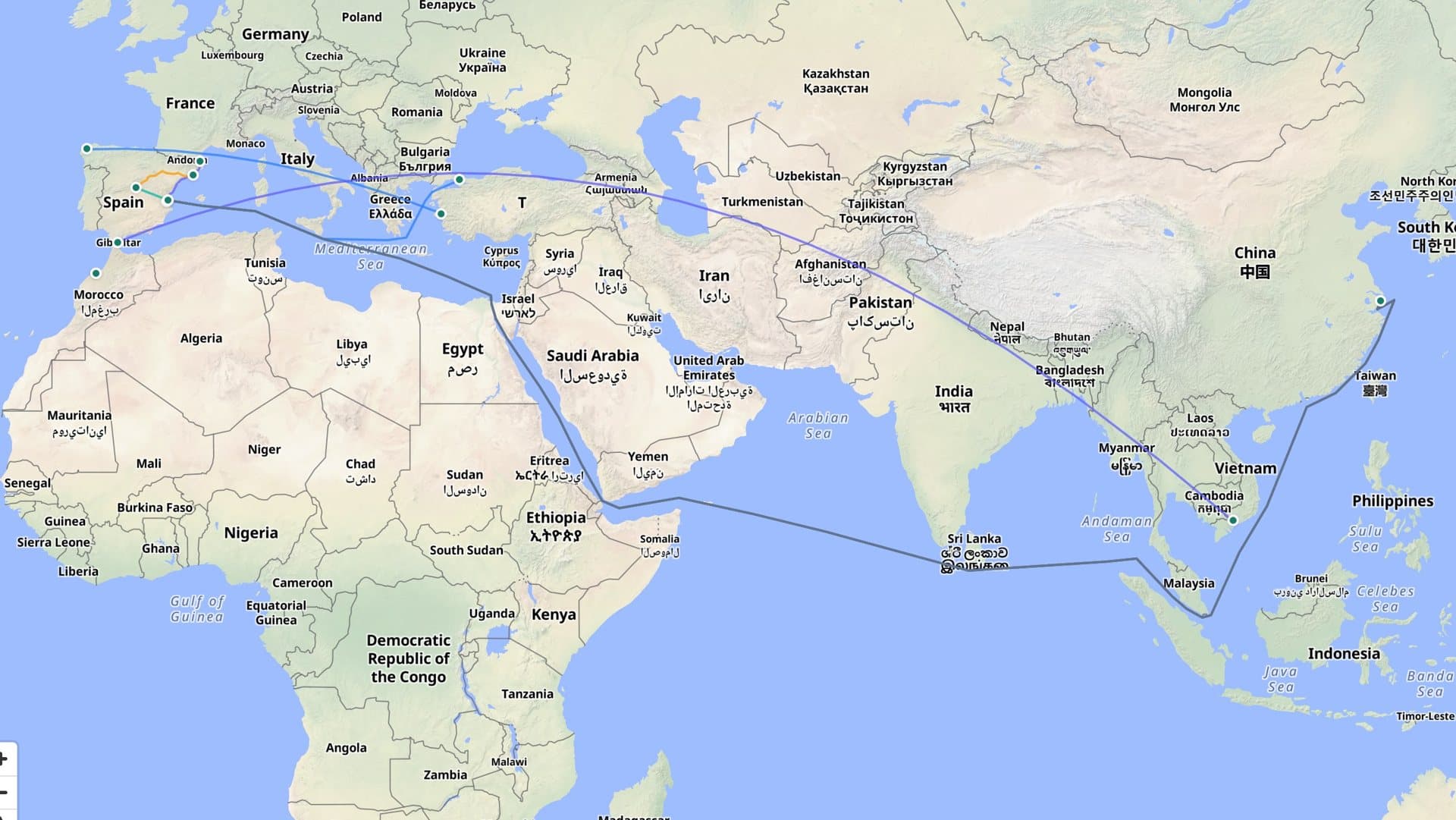
Ships follow the sea network, planes draw their arc and trucks go by road. At each port you see how many shipments leave, are sailing towards it or have already arrived.
Operations
The operations home screen is a control tower: a globe with your shipments' routes and panels with whatever needs attention. When something changes, the screen updates itself.
Control tower
Ships follow the sea network, planes draw their arc and trucks go by road. At each port you see how many shipments leave, are sailing towards it or have already arrived.
Figures, shipments and arrivals, open operations, cargo units, customs clearances and alerts. Panels can be moved, collapsed or hidden, and the layout is saved per person.
If an operation, a shipment, a clearance or an alert changes, the home screen recalculates and lets you know, without reloading the page.
The record
Each operation has its record with the summary, goods, transport, customs declarations, documents, incidents and tasks, and the complete activity.
The activity shows milestones with their planned and actual dates, and how many hours each one has slipped. The operations list flags the ones running late.
Statuses
Good to know
Continue with
Import declarations and tariff classification by territory, with full history.
Today's trips, vehicles, drivers and documents about to expire.
Each container's cycle, pick-up and return deadlines, seals and demurrage.
We'll show you the operations home screen with sample data for your type of company.